News
📈 Integration of Lighthouse 12
Zentria now uses Lighthouse v12 to analyse your PrestaShop shops.
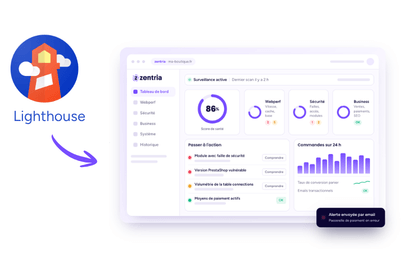
This new version introduces changes to several audit categories. The PWA category has been removed entirely from Lighthouse, whilst the SEO analysis has been refocused on the criteria considered a priority by Google. A page that cannot be indexed can now, on its own, cause the SEO category to fail. Checks relating to the viewport and font sizes have been moved from the SEO category to the best practices section.
Accessibility is also evolving with the introduction of new checks, particularly those relating to ARIA attributes and roles. Several audits have finally been removed, moved or grouped together in order to improve the diagnostics provided by Lighthouse.
These changes are automatically taken into account in the analyses carried out by Zentria. They may therefore explain certain differences between your new results and those obtained previously using an earlier version of Lighthouse.
🍹 Les nouveautés de cet été
→ Mettez à jour votre module Zentria
Mettez à jour votre module PrestaShop Zentria pour pouvoir profiter des nouvelles fonctionnalités

→ Supervisez votre PrestaShop v9.1.x
Zentria est désormrais compatible avec les versions 9.1.x de PrestaShop.

→ Encore plus de données business
Suivez toute l’activité de votre boutique en ligne PrestaShop

→ Nouvelle valorisation des stocks
Les calculs des stocks ont été affinés avec notamment l'exclusion des produits virtuels.
✨ The latest news
→ Alerts for degraded modules
You will now be notified when a service linked via API to a module in your online shop goes down.

→ Filter modules by criticality
You can now prioritise modules that have a vulnerability, a pending update or a service error
→ Find out which shops have a module installed
Do you have several shops? Find out in seconds which shops have a module installed.
→ Server load monitoring
View real-time, daily, weekly and monthly server load for your shop.

→ New Marketing category
14 SEO metrics to monitor your shop’s visibility
→ Export modules as a CSV file
Get the full list of modules for your shop in just one click.
🔥 New on Zentria: Data Visualisation is here!
A new dimension for managing your PrestaShop store with clarity, precision... and impact.
📊 Dynamic dashboards
Instantly view your key indicators: orders, turnover, payment methods, account creations, carriers...
Easy-to-read graphs, updated in real time, designed to get straight to the point.
📈 Simplified strategic analysis
Identify trends, compare periods and detect variations at a glance. Data becomes a lever for action, not just a table of figures.
⚡ Faster, more confident decision-making
An unusual spike? A drop that needs analysing?
Zentria gives you a clear view so you can take immediate action with confidence.
🎯 Business, performance, control
Zentria Data-Viz connects technology and business in a single interface. You no longer just consult your data. You use it.
And this is just one step... 🚀
New views and indicators are coming soon to take the intelligent management of your e-commerce business even further.
✨ New on Zentria: the System tab is here!
A new essential tool for managing your PrestaShop store with precision and peace of mind.
System status 🔍
See the overall health of your e-commerce environment at a glance: PHP version, server, database... nothing escapes you.
System information ℹ️
Instantly access all the key technical information about your shop. A solid foundation for diagnosing, improving, or simply staying in control.
Modules 🧩
Find the complete list of your modules. A valuable tool for keeping your ecosystem reliable and up to date with:
- their versions,
- their update status,
- their security level.
And that's just the beginning... 🚀
We are already working on a revolutionary new feature with a powerful, clear and intuitive data view.
Analyse your business indicators (orders, payments, customers, etc.) with dynamic dashboards designed to boost your strategic decisions.
✅ Zentria module update available
The latest version of the module is now available in v1.3.1.
You can now update directly from your PrestaShop back office with no risk and in just one click.
⚠️ The update is mandatory to maintain monitoring of your shop.
What's new after this update? 🤩
🤓 Our developers have been working hard to unveil the new features of Zentria!
1. Preparation of the new system page 🛠️
The system page will be available in June on your Zentria interface. Get a complete technical overview that is accessible at any time.
2. Volumetric sensors 🦾
Detect database volumes that impact your shop's performance.
3. Enhanced module configuration ⚙️
Display the status of communication between your shop and the Zentria server.
4. Detection of fake customer accounts 👀
Monitor your PrestaShop customer list to ensure it is not being infiltrated by bots.
🙏 Your suggestions matter!
Every idea you share continues to fuel our roadmap. Thank you for your contributions, which enable us to better meet your daily needs!
🎉 Bienvenue dans Zentria !
🌟 Zentria News – December Edition: Exciting New Features for You! 🌟
December is here, bringing a wave of new features to enhance your Zentria experience. 🚀 Here’s everything we’ve prepared for you:
💡 A Strengthened Team to Support You!
We’re thrilled to welcome Alexandra, our new E-Commerce Success Manager! 🎉 Thanks to her, your customer support experience is reaching new heights. Her goal? To provide even more personalized guidance and turn every interaction into a success.
🖌️ Redesigned Interfaces for a Smoother Experience
Our UX designers and developers have worked hard to make your interactions with Zentria even more fluid and enjoyable. Here are the major improvements this month:
- Actionable Tasks: A clearer and more intuitive interface that now displays your tasks contextually based on categories (Security, Web Performance, or Business). Check out the new design here 👉 Actions to Take.
- Revamped History: A redesigned navigation system that makes it easier to browse your scans and instantly spot key information. Check out the new design here 👉 Scan History.
⚙️ More Frequent Sensor Updates
To better meet your needs, we have improved the way our sensors operate. Previously, all sensors ran simultaneously.
Now, some operate every hour, while others run once a day. If their status remains unchanged, no alert is generated.
However, if a degradation is detected, we alert you immediately and log the relevant data. A more precise monitoring system to anticipate issues and provide you with better support!
🔄 Big News Behind the Scenes: Multi-User Management is Coming!
We’re working hard on a major new feature: multi-user management.
- Soon, you’ll be able to add multiple contacts (technical, marketing, etc.) directly to your account.
- Partner agencies will also be able to manage and pay subscriptions for their clients—making everything simpler!
📊 A Huge Update Coming in Early 2025!
We’re preparing a game-changing feature: a complete data visualization dashboard. You'll finally have access to clear and powerful statistics to analyze and leverage your PrestaShop business data with ease.
❤️ Your Feedback Matters!
Every idea you share continues to shape our roadmap. Thank you for your valuable contributions that help us better meet your daily needs!
🎉 Welcome to Zentria Premium!
You now have access to all the premium features of Zentria! 🚀
Why you'll love Zentria Premium:
- Maximum monitoring: Focus on the success of your business. Zentria automatically scans your site, and you can launch a manual scan at any time. 💼
- Advanced detection: Get immediately alerted when your store encounters an issue. 🧑🤝🧑
- Powerful analyses: Get detailed insights to optimize your PrestaShop and reach your goals faster. 📊
How to make the most of your trial:
- Receive smart notifications: Stay in control with personalized reminders and notifications. Configure your notifications here >
- Set up your different alerts: For some sensors, Zentria needs you to define your trigger thresholds. View the sensors here >
- Discover our videos: Explore our videos that show you, sensor by sensor, the full power of Zentria. Watch the videos here >
Need help?
We're here for you! Check out our user guides or contact our support team if you have any questions. 📚 💬
Make the most of this trial period to discover everything Zentria can do for you. We're sure you'll love it! 💪

